

Insert Molang File [Minecraft Bedrock] 2.4.0.
Description
This extension lets you use '.molang' files when working on larger scripts and easily insert them as a single-line string into Minecraft Bedrock addon files.
Usage
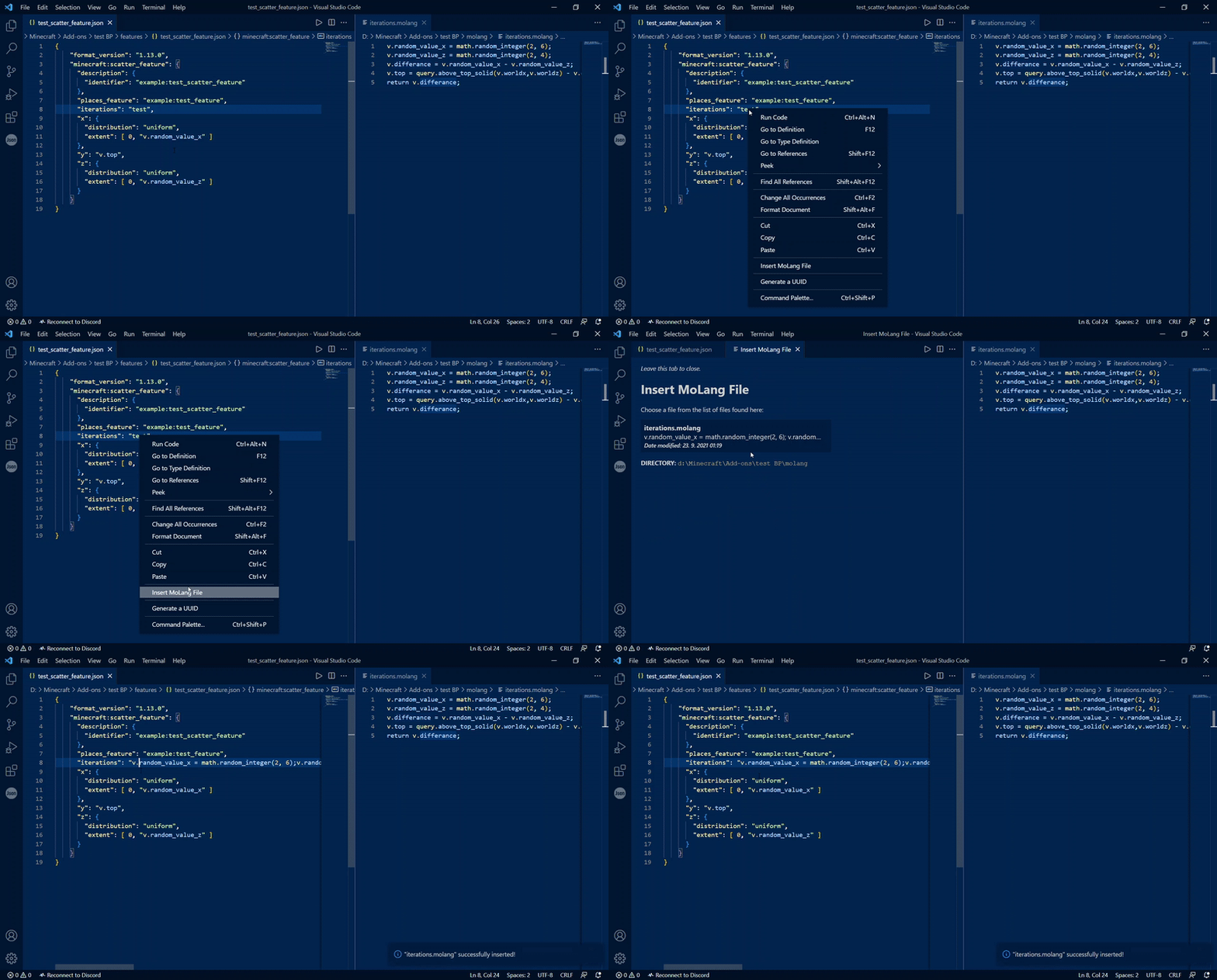
To use this extension, simply right click (you can also use command pallete) on any string within an addon file, a menu will pop up and you can select whichever file from the molang folder you want to insert. It doesn't matter if the string is empty or not, it will simply replace it completely.
If working in resource pack file it will only look into resource pack's molang folder and so with behavior packs.
When it inserts the MoLang file's code, it removes any newlines or returns and comments, so you don't have to worry about json errors!
Comments are supported within MoLang files like so: single-line comments using //<comment> or #<comment> and multi-line comments using /*<comment>*/. They will be ignored and won't be inserted.
!Attention!
Molang files in subfolders aren't supported, refer only to files in root folders!
molang folder is case-sensitive, make sure it's all lower-case letters!
The extension looks for the addon root path by finding the directory closest to the root of the file system, that contains a folder with addon keyword name like features or entities. Make sure addon folder keyword names don't exist anywhere in the addon root path, only inside the addon!
Example of this problem: C:\Minecraft\Development\biomes\My addon\features\test.json
- In this case the extension will think your addon is located at
C:\Minecraft\Development\even if you intent to have it atC:\Minecraft\Development\biomes\My addon\. A simple fix for this is to replace thebiomesfolder with something else likeCustom Biomes, which isn't a keyword name.
Addon folder keyword names: subpacks,features,biomes,feature_rules,entities,entity,blocks,items,animations,animation_controllers,attachables,particles,render_controllers
Usage example:
Setup
- Molang folder in your resource pack or behavior pack (
[BP/RP]\molang) with Molang files in it. - Any addon file to insert Molang code into.
Dependencies
This extension does not have any dependencies.
Settings
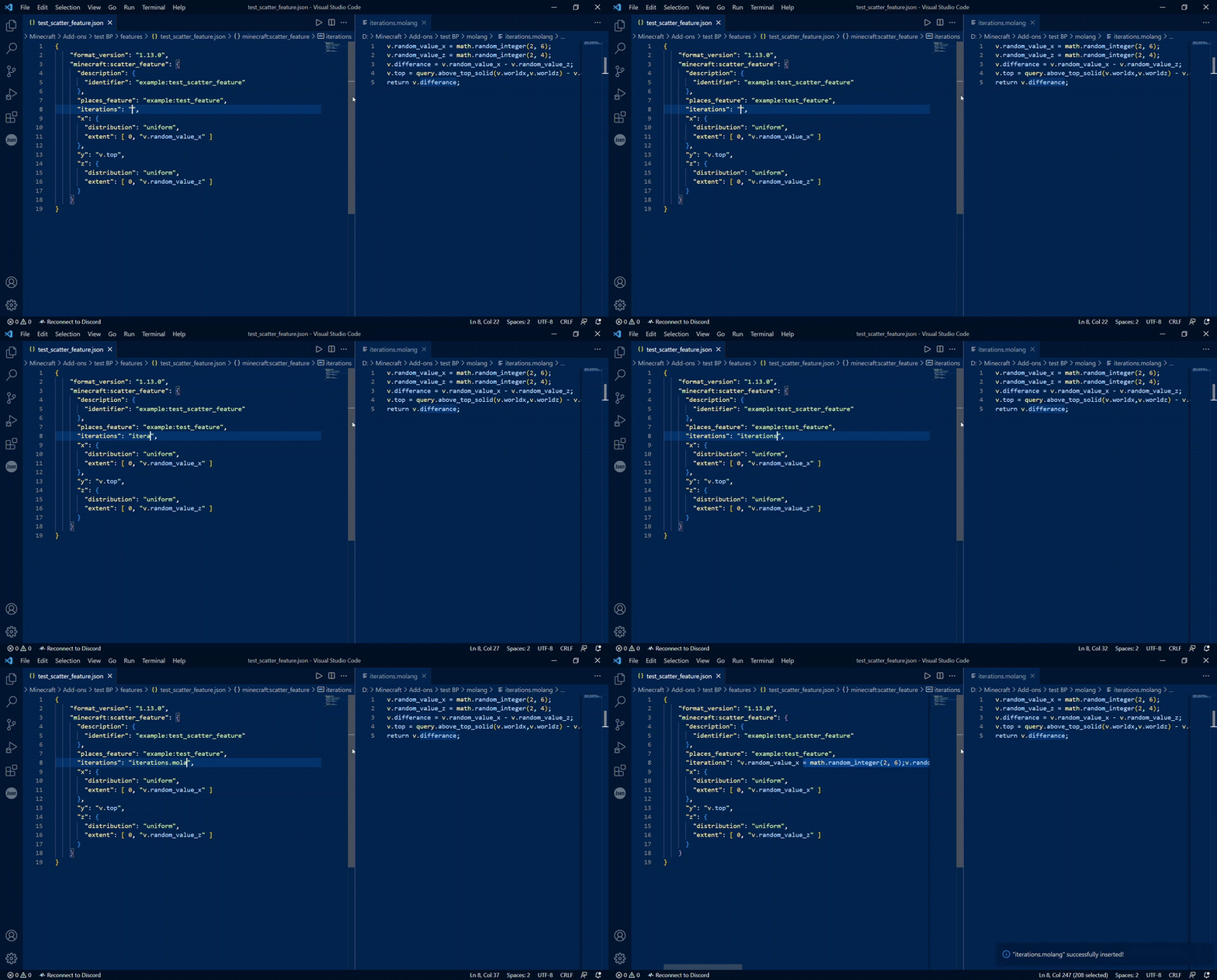
molang-insert.fileSorting: set how files will be sorted in the menumolang-insert.typing.enabled: set totrueif you want to insert molang files by typing their name alone into a string (optionally with a prefix)molang-insert.typing.prefix: optional setting to set prefix when using typing option mentioned above
More details are explained within VSCode settings.
Usage example of inserting Molang file by typing its name:
Known Issues
So far no issues have been spotted.
Finishing up
This extension is made by Studio IceCraft
Not affiliated with Mojang or Microsoft
Minecraft is an IP owned by Microsoft and Molang is a part of this IP, all legal rights to those subjects belong to them.